Computer Vision Explained: How AI Sees and Understands Images
What is computer vision and how does it work? Simple guide to AI image recognition, object detection, and real applications. No technical background needed.
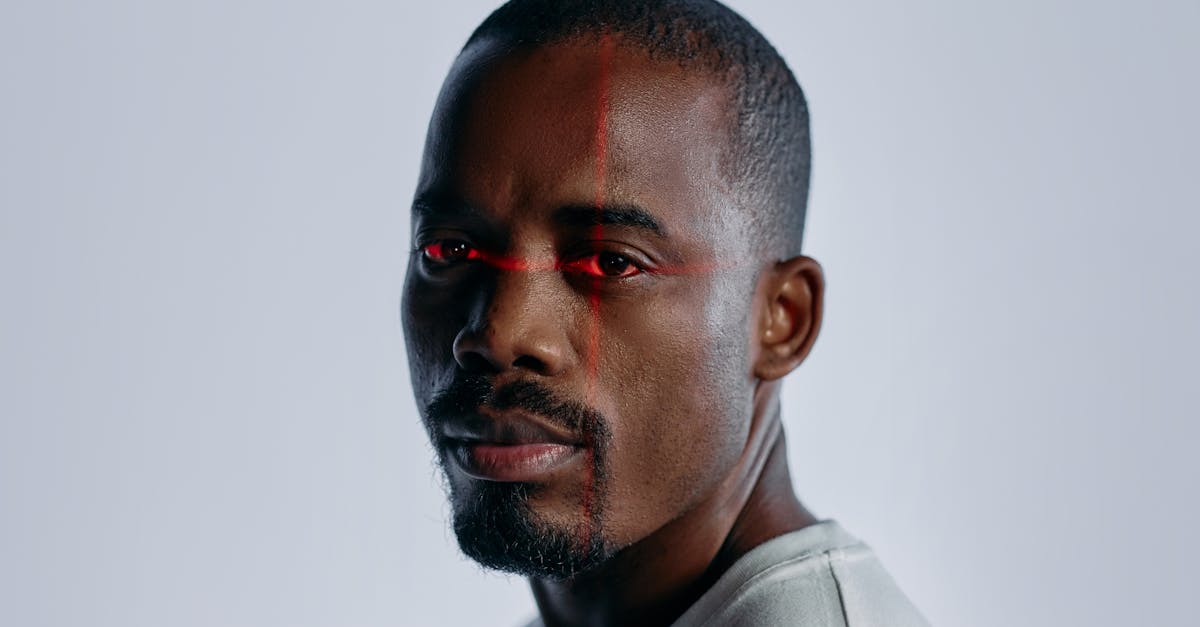
Computer vision is the field of AI that enables machines to interpret and understand visual information from the world. From facial recognition on your phone to self-driving cars, computer vision powers many technologies we use daily.
What is Computer Vision?
Computer vision is an interdisciplinary field that trains computers to interpret and understand visual data. It combines techniques from image processing, machine learning, and AI to extract meaningful information from images and videos.
Key goal: Enable machines to see and understand the visual world as humans do.
How Computer Vision Works
Image Processing Basics
Computers see images as grids of numbers representing pixel values.
Grayscale images: Single number per pixel (0-255) Color images: Three numbers per pixel (Red, Green, Blue)
Feature Extraction
Computer vision identifies patterns and features in images.
Low-level features:
- Edges and corners
- Colors and textures
- Gradients and shapes
High-level features:
- Objects and faces
- Scenes and activities
- Relationships between elements
Deep Learning Approach
Modern computer vision uses neural networks to learn features automatically.
Process:
- Input image enters the network
- Convolutional layers detect features
- Features combine into higher-level patterns
- Final layers produce output (classification, detection, etc.)
Core Computer Vision Tasks
Image Classification
Assigning a label to an entire image.
Examples:
- Is this a cat or a dog?
- What type of plant is this?
- Is this image appropriate?
Applications:
- Photo organization
- Medical diagnosis
- Content moderation
Object Detection
Finding and locating objects within images.
Output includes:
- Object class (what it is)
- Bounding box (where it is)
- Confidence score (how certain)
Applications:
- Autonomous vehicles
- Security systems
- Retail analytics
Image Segmentation
Dividing images into meaningful regions.
Types:
Semantic segmentation: Labels each pixel by category (sky, road, car)
Instance segmentation: Distinguishes individual objects of the same type
Applications:
- Medical imaging
- Satellite analysis
- Photo editing
Face Recognition
Identifying or verifying individuals from facial features.
Capabilities:
- Face detection (finding faces)
- Face recognition (identifying who)
- Expression analysis (reading emotions)
- Age and gender estimation
Applications:
- Phone unlock
- Security access
- Photo tagging
Pose Estimation
Detecting human body position and movement.
Detects:
- Body joint locations
- Limb positions
- Movement patterns
Applications:
- Fitness apps
- Gaming and AR
- Sports analysis
- Safety monitoring
Optical Character Recognition (OCR)
Extracting text from images.
Capabilities:
- Printed text recognition
- Handwriting recognition
- Document digitization
- Scene text reading
Applications:
- Document scanning
- License plate reading
- Receipt processing
- Sign translation
Real-World Applications
Healthcare
Medical imaging:
- X-ray analysis
- MRI interpretation
- Pathology slides
- Retinal scans
Benefits:
- Earlier disease detection
- Faster diagnosis
- Consistent analysis
- Support for specialists
Automotive
Self-driving technology:
- Road and lane detection
- Pedestrian recognition
- Traffic sign reading
- Obstacle avoidance
Driver assistance:
- Lane departure warnings
- Collision prevention
- Parking assistance
- Blind spot monitoring
Retail
Customer experience:
- Cashier-less checkout
- Product recognition
- Inventory management
- Customer analytics
Operations:
- Shelf monitoring
- Stock counting
- Theft prevention
- Queue management
Manufacturing
Quality control:
- Defect detection
- Assembly verification
- Measurement accuracy
- Surface inspection
Safety:
- PPE compliance
- Hazard detection
- Worker safety monitoring
Agriculture
Crop management:
- Disease detection
- Pest identification
- Growth monitoring
- Yield estimation
Precision farming:
- Drone surveys
- Irrigation optimization
- Harvest timing
- Weed detection
Security
Surveillance:
- Intrusion detection
- Crowd monitoring
- Behavior analysis
- License plate recognition
Access control:
- Facial authentication
- ID verification
- Visitor management
Popular Computer Vision Tools
Cloud Services
Google Cloud Vision:
- Label detection
- Face detection
- OCR
- Landmark recognition
Amazon Rekognition:
- Object detection
- Face analysis
- Text extraction
- Custom labels
Microsoft Azure Computer Vision:
- Image analysis
- OCR
- Spatial analysis
- Custom training
Open Source Libraries
OpenCV:
- Comprehensive image processing
- Multiple language support
- Extensive algorithms
- Free and open source
TensorFlow/Keras:
- Deep learning models
- Pre-trained networks
- Training pipelines
- Production deployment
PyTorch:
- Research-friendly
- Dynamic computation
- torchvision library
- State-of-the-art models
Pre-trained Models
YOLO: Real-time object detection ResNet: Image classification Mask R-CNN: Instance segmentation MediaPipe: Face and pose detection
Building Computer Vision Applications
Development Process
- Define the problem - What visual understanding do you need?
- Collect data - Gather representative images
- Label data - Annotate images with correct outputs
- Choose approach - Pre-trained model or custom training?
- Train/fine-tune - Develop your model
- Evaluate - Test on held-out data
- Deploy - Put into production
- Monitor - Track performance over time
Using Pre-trained Models
Fastest path to results.
Process:
- Find suitable pre-trained model
- Test on your images
- Evaluate accuracy
- Fine-tune if needed
Custom Training
For unique requirements.
When needed:
- Specific object types
- Unusual image conditions
- Domain-specific accuracy
Edge vs Cloud
Cloud processing:
- More computing power
- Easier scaling
- Requires connectivity
- Privacy considerations
Edge processing:
- Real-time response
- Works offline
- Privacy preserved
- Limited compute
Challenges and Limitations
Technical Challenges
Lighting variations: Different lighting conditions affect appearance Occlusion: Objects partially hidden Scale variations: Objects at different distances Viewpoint changes: Same object from different angles
Data Challenges
Quality: Training data must be representative Quantity: Deep learning needs large datasets Bias: Training data can introduce biases Labeling: Annotation is expensive and time-consuming
Real-world Challenges
Edge cases: Unusual situations not in training data Adversarial attacks: Inputs designed to fool systems Interpretability: Understanding why decisions were made Privacy: Concerns about surveillance and data use
Ethics and Privacy
Responsible Use
Consider:
- Privacy implications of surveillance
- Consent for facial recognition
- Potential for discrimination
- Data protection requirements
Best Practices
- Be transparent about computer vision use
- Obtain appropriate consent
- Test for bias across demographics
- Implement data protection measures
- Allow opt-out when possible
Future Directions
Emerging Capabilities
Video understanding: Better temporal analysis 3D vision: Understanding depth and space Multimodal: Combining vision with language Efficiency: Smaller, faster models
Trends
- Vision-language models (like GPT-4V)
- Real-time 3D scene understanding
- Improved edge device capabilities
- More robust and generalizable systems
Getting Started
For Beginners
- Learn Python basics
- Explore OpenCV tutorials
- Try cloud vision APIs
- Experiment with pre-trained models
For Developers
- Understand deep learning fundamentals
- Practice with PyTorch or TensorFlow
- Study popular architectures
- Build end-to-end projects
Resources
Learning:
- CS231n (Stanford)
- PyImageSearch tutorials
- OpenCV documentation
Datasets:
- ImageNet
- COCO
- Open Images
Conclusion
Computer vision enables machines to understand visual information, powering applications from medical diagnosis to autonomous vehicles. While challenges remain, the technology continues to advance rapidly.
Whether using pre-built APIs or training custom models, computer vision is increasingly accessible to developers at all levels.
Frequently Asked Questions
How accurate is computer vision?
Modern computer vision systems can exceed human accuracy for specific tasks like image classification, often achieving 95%+ accuracy. However, accuracy varies by task complexity, data quality, and edge cases. Real-world performance depends on proper training and deployment conditions.
Is computer vision the same as image recognition?
Image recognition is one application of computer vision. Computer vision is the broader field that includes image recognition, object detection, video analysis, 3D reconstruction, and many other visual understanding tasks. Image recognition specifically identifies what is in an image.