Custom GPTs: How to Create and Use ChatGPT Apps That Do Exactly What You Want
Learn how to create, use, and find the best custom GPTs in 2026. Build AI assistants tailored to your specific needs without any coding required.
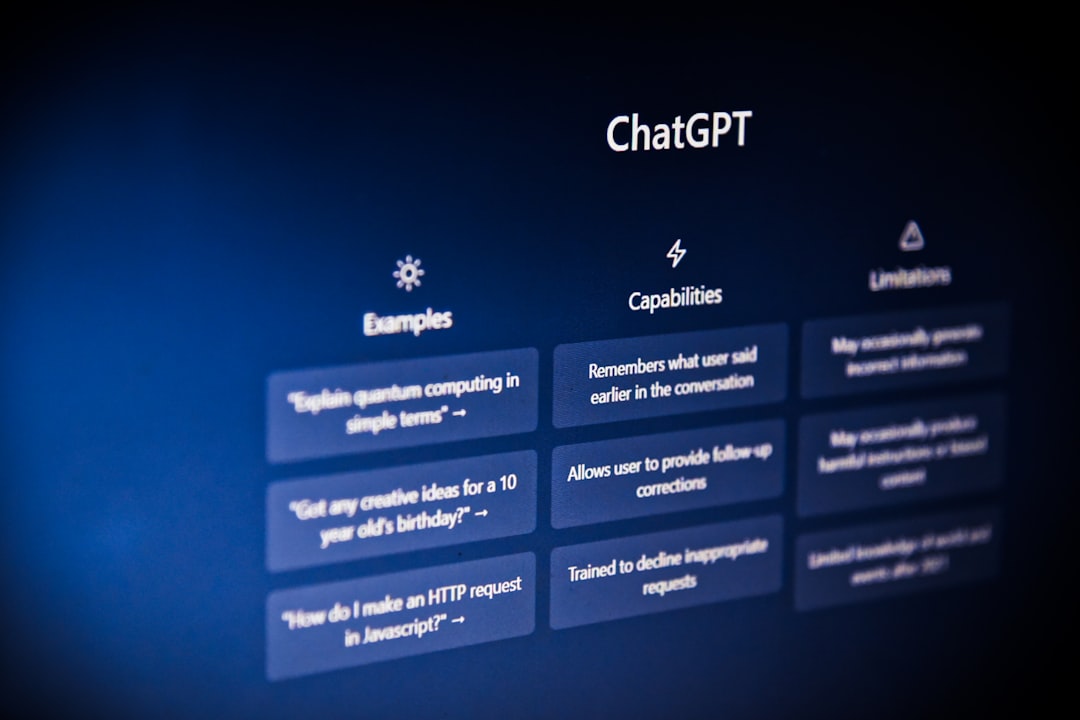
Remember when ChatGPT could only do one thing - chat? Those days are long gone.
Custom GPTs turn ChatGPT from a general-purpose chatbot into a specialized tool that does exactly what you need. Want an AI that writes in your brand voice? There's a GPT for that. Need a coding assistant that knows your tech stack? You can build one in minutes.
I've created dozens of custom GPTs and tested hundreds more. Here's everything you need to know about using this feature that most people don't even know exists.
What Are Custom GPTs?
Custom GPTs are specialized versions of ChatGPT that you can create or use for specific purposes. Think of them as pre-configured ChatGPT assistants with:
- Custom instructions - The GPT knows exactly how to behave
- Specific knowledge - Upload documents, data, or information it should reference
- Connected tools - Link to external services, APIs, and databases
- Consistent personality - Same responses and style every time
Instead of typing the same detailed prompt every time you use ChatGPT, a custom GPT remembers everything automatically.
Real Example
Without a custom GPT, I'd need to prompt ChatGPT like this every time:
"You're a senior Python developer. Use type hints, follow PEP 8, prefer list comprehensions over loops, and always include docstrings. Review this code..."
With my "Python Code Reviewer" GPT, I just paste the code. It already knows my preferences.
What Happened to ChatGPT Plugins?
If you remember ChatGPT plugins, you might wonder what happened to them.
OpenAI deprecated plugins in April 2024 and replaced them with GPTs. The reasoning makes sense:
| Plugins | Custom GPTs |
|---|---|
| Required API development | No-code creation |
| ~1,000 available | 100,000+ available |
| Developer-only creation | Anyone can build |
| Complex setup | 5-minute creation |
Most popular plugins have been recreated as GPTs, often with better functionality. If you had a favorite plugin, search for it in the GPT Store - you'll likely find several alternatives.
How to Find and Use Custom GPTs
Finding useful GPTs is straightforward if you know where to look.
The GPT Store
- Open ChatGPT
- Click "Explore GPTs" in the sidebar
- Browse categories or search
The store organizes GPTs into categories:
- Writing - Content creation, editing, copywriting
- Productivity - Task management, email drafting, scheduling
- Programming - Code review, debugging, documentation
- Education - Tutoring, explanations, test prep
- Lifestyle - Fitness, cooking, travel planning
- Research - Data analysis, academic writing, fact-checking
Top GPTs I Actually Use
After testing hundreds, these have stuck in my workflow:
For Writing:
- Consensus - Academic research with real citations
- Write For Me - Adapts to any writing style you describe
- Humanizer Pro - Makes AI-generated text sound natural
For Coding:
- Grimoire - Serious coding projects with file management
- SQL Expert - Database queries without remembering syntax
- Code Copilot - Reviews and improves existing code
For Productivity:
- Canva - Design directly in ChatGPT
- Zapier AI Actions - Automate workflows through conversation
- PDF AI - Extract and analyze document content
For Research:
- Scholar AI - Finds and summarizes academic papers
- WebPilot - Browses the internet with better results than built-in browsing
If you're looking for alternatives to ChatGPT with similar capabilities, check out our ChatGPT alternatives guide for other options.
How to Create Your Own Custom GPT
Creating a GPT takes about 5-10 minutes. No coding required - seriously.
Step 1: Access the GPT Builder
- Go to ChatGPT
- Click "Explore GPTs" in the left sidebar
- Click "Create" in the top right
- Choose between "Create" (guided) or "Configure" (manual)
The "Create" tab works conversationally - you describe what you want, and the builder configures everything. The "Configure" tab gives you direct access to all settings.
Step 2: Define Your GPT's Purpose
Be specific about what your GPT should do. Generic GPTs aren't useful.
Too Vague:
"Help me with writing"
Specific and Useful:
"You are a B2B SaaS copywriter. You write homepage copy, feature descriptions, and email sequences. You focus on benefits over features, use active voice, and avoid jargon. Target audience is small business owners who aren't technical."
Step 3: Add Knowledge (Optional but Powerful)
Upload files that your GPT should reference:
- Style guides - Brand voice documents, writing standards
- Product docs - Feature lists, FAQs, specifications
- Data sets - Reference information, lookup tables
- Templates - Examples of ideal outputs
Your GPT can reference these files when generating responses, making outputs more accurate and consistent.
I uploaded my company's brand guidelines to a content GPT. Now every piece of content matches our voice perfectly without me mentioning it each time.
Step 4: Configure Capabilities
Choose what your GPT can do:
| Capability | Use Case |
|---|---|
| Web Browsing | Research, current information, fact-checking |
| DALL-E Image Generation | Creating visuals, diagrams, illustrations |
| Code Interpreter | Data analysis, running Python, creating charts |
For most GPTs, I enable all three. The GPT only uses them when relevant.
Step 5: Add Actions (Advanced)
Actions connect your GPT to external services via APIs. This is where GPTs get really powerful:
- Pull data from your CRM
- Post to social media
- Create calendar events
- Update spreadsheets
- Send emails
This requires some technical knowledge or a service like Zapier that provides pre-built actions.
Step 6: Test and Refine
Before publishing:
- Test multiple scenarios
- Try to "break" it with edge cases
- Check if outputs match your expectations
- Refine instructions based on results
I usually go through 5-10 iterations before a GPT works the way I want.
Step 7: Publish
Choose your visibility:
- Only me - Private, just for your use
- Anyone with the link - Shareable but not searchable
- Everyone - Listed in the GPT Store
If you publish publicly, write a clear description and choose relevant categories. This helps users find your GPT.
Custom GPT Ideas That Actually Work
Not sure what to build? Here are GPT ideas organized by use case:
For Your Job
| GPT Idea | What It Does |
|---|---|
| Email Responder | Drafts replies in your communication style |
| Meeting Summarizer | Turns notes into action items and summaries |
| Report Generator | Creates weekly/monthly reports from data |
| Client Proposal Writer | Generates proposals using your templates |
For Content Creators
| GPT Idea | What It Does |
|---|---|
| Blog Post Outliner | Creates structured outlines from topics |
| Social Media Scheduler | Writes posts for different platforms |
| YouTube Script Writer | Creates scripts with hooks and CTAs |
| Newsletter Writer | Drafts emails in your publication's voice |
If you create content regularly, see our guide on AI for content creation for more tools.
For Developers
| GPT Idea | What It Does |
|---|---|
| Code Reviewer | Catches bugs and suggests improvements |
| Documentation Writer | Generates docs from code comments |
| Regex Generator | Creates and explains regex patterns |
| API Response Mocker | Generates test data for development |
Our AI coding assistants comparison covers dedicated coding tools if you need more power.
For Students
| GPT Idea | What It Does |
|---|---|
| Study Guide Creator | Turns notes into flashcards and questions |
| Essay Outliner | Structures arguments logically |
| Citation Formatter | Converts to APA, MLA, Chicago |
| Concept Explainer | Breaks down complex topics simply |
Check our AI tools for students for more academic resources.
Tips for Better Custom GPTs
After building and using many GPTs, here's what separates good ones from useless ones:
Be Specific About Format
Don't just say "write a blog post." Specify:
- Word count range
- Heading structure (H2s, H3s)
- Tone (casual, professional, technical)
- Required sections
Include Examples
Show the GPT what good output looks like. Add 2-3 examples of ideal responses in your instructions. This improves consistency dramatically.
Set Boundaries
Tell your GPT what NOT to do:
- "Never use passive voice"
- "Don't include generic introductions"
- "Avoid marketing buzzwords"
- "Don't make up statistics"
Use the Right Model
Custom GPTs work with GPT-4o by default. For complex reasoning tasks, you might want GPT-5 access through a Plus subscription. See our ChatGPT 5 review for capability differences.
Custom GPTs vs. Other AI Tools
How do custom GPTs compare to alternatives?
vs. Claude Projects
Claude offers Projects with similar customization:
- Claude's advantage: Longer context, project memory across conversations
- GPT's advantage: Actions (API connections), GPT Store ecosystem
For knowledge workers, both work well. Claude's projects might edge out for research-heavy work.
vs. Gemini Gems
Google's Gemini recently added Gems (custom AI):
- Gemini's advantage: Integration with Google Workspace
- GPT's advantage: More mature ecosystem, better third-party tools
vs. Custom Prompts
Some people just save detailed prompts instead of creating GPTs:
- Prompts: Free, works anywhere, easy to share
- GPTs: Persistent memory, file knowledge, external actions
For simple use cases, saved prompts work fine. For anything complex, GPTs are worth it.
The GPT Store Economy
OpenAI launched revenue sharing for GPT creators. If you build something useful, you can actually make money.
How Revenue Sharing Works
- Creators earn based on user engagement with their GPTs
- Payments are proportional to how much your GPT is used
- Top creators report $1,000-$10,000+ monthly
Tips for GPT Store Success
- Solve a specific problem - Generic GPTs don't get used
- Write a great description - Users search by keywords
- Include usage examples - Show what your GPT can do
- Keep improving - Update based on feedback
- Promote outside OpenAI - Share on social media, forums
The GPT Store is still early. If you're looking to make money with AI, creating useful GPTs is a legitimate path.
Limitations to Know About
Custom GPTs aren't perfect. Here's what to expect:
Knowledge Cutoffs
GPTs trained before certain dates won't know recent information unless you:
- Enable web browsing
- Upload current documents
- Specify date-sensitive instructions
File Size Limits
You can upload files, but there are limits:
- Individual file size caps
- Total knowledge base limits
- Processing limitations for very large documents
Rate Limits
Heavy usage can hit OpenAI's rate limits, especially with:
- Code interpreter running complex operations
- Multiple web searches
- Large file processing
No True Memory
GPTs don't remember conversations after they end. Each chat starts fresh unless you're using Claude's memory feature or similar tools.
Getting Started Today
Here's my recommended path:
Week 1: Explore
- Browse the GPT Store
- Try 10-15 different GPTs
- Note what works and what doesn't
Week 2: Create
- Build your first GPT for a simple task
- Use the guided "Create" mode
- Test extensively before sharing
Week 3: Optimize
- Refine based on usage
- Add knowledge files
- Explore actions if relevant
Ongoing:
- Build GPTs for repetitive tasks
- Share useful ones with your team
- Stay updated on new capabilities
What's Next for Custom GPTs
OpenAI continues developing the platform. Expected improvements:
- Better actions - Easier API connections without technical knowledge
- Team sharing - Better collaboration features for business users
- Mobile creation - Build GPTs from your phone
- Enhanced memory - Longer retention across conversations
The ecosystem is growing rapidly. Getting familiar now puts you ahead when these features launch.
Related Resources
- ChatGPT Tips and Tricks 2026 - Master ChatGPT fundamentals
- How to Write Better ChatGPT Prompts - Improve your prompting
- ChatGPT Custom Instructions Guide - Set up persistent preferences
- How to Use ChatGPT for Work - Practical professional applications
- Prompt Engineering Guide - Advanced prompting techniques
- Best Free AI Tools 2026 - More AI tools worth trying