AI Music Generation: Create Music with Suno, Udio, and More
How to create music with AI in 2026. Suno and Udio tutorial for making AI songs. Best AI music generators reviewed with tips for better results.
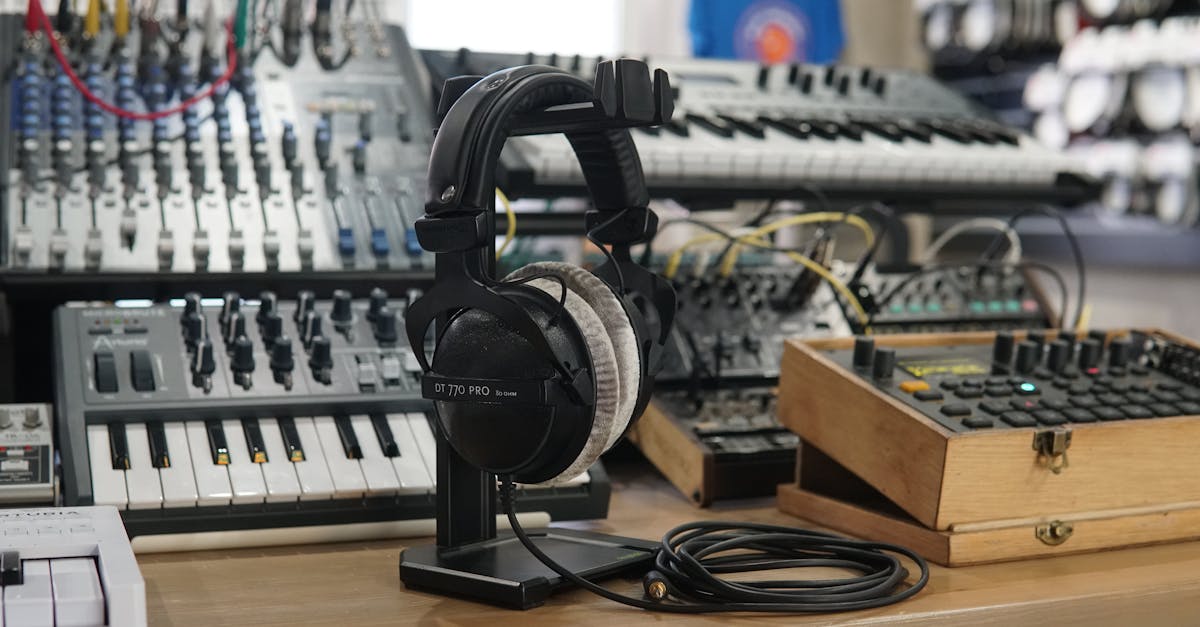
AI music generation has reached a remarkable level, enabling anyone to create original songs with vocals, instrumentals, and full production. This guide explores the leading tools and how to use them effectively.
What is AI Music Generation?
AI music generation uses machine learning models trained on vast music libraries to create new compositions. These tools can generate:
- Complete songs with vocals and lyrics
- Instrumental tracks
- Background music
- Sound effects
- Remixes and variations
Leading AI Music Generators
Suno AI
The most popular text-to-music platform.
Capabilities:
- Full songs with vocals
- Multiple genres
- Custom lyrics or AI-generated
- Various moods and styles
Free tier: 10 song credits daily Pro: $8/month (500 credits) Premier: $24/month (2000 credits)
Strengths:
- Excellent vocal quality
- Wide genre range
- User-friendly interface
- Active community
Best for: Complete song creation with vocals.
Udio
High-quality music generation with strong production values.
Capabilities:
- Studio-quality output
- Excellent genre accuracy
- Custom lyrics support
- Good vocal clarity
Pricing:
- Free tier available
- Standard: $10/month
- Pro: $30/month
Strengths:
- Professional sound quality
- Accurate genre reproduction
- Clean production
- Good mixing
Best for: High-fidelity music creation.
AIVA
Composed specifically for instrumental and orchestral music.
Capabilities:
- Orchestral compositions
- Film and game scores
- Emotional soundtracks
- Multiple instruments
Pricing:
- Free: Limited features
- Standard: €11/month
- Pro: €33/month
Best for: Film scores, game music, orchestral compositions.
Mubert
Real-time generative music for various applications.
Capabilities:
- Continuous generation
- Adaptive music
- Various moods and tempos
- Integration options
Pricing:
- Free tier available
- Creator: $14/month
- Pro: $39/month
Best for: Background music, streams, applications.
Soundraw
Customizable music for content creators.
Capabilities:
- Adjustable parameters
- Royalty-free output
- Easy customization
- Quick generation
Pricing:
- Creator: $16.99/month
- Artist: $29.99/month
Best for: YouTube videos, podcasts, content creation.
Boomy
Quick and easy song creation.
Capabilities:
- Fast generation
- Distribution to streaming
- Simple interface
- Community sharing
Pricing:
- Free tier with ads
- Creator: $2.99/month
- Pro: $9.99/month
Best for: Beginners, quick experimentation.
How AI Music Generation Works
Text-to-Music Process
- Input: Describe your desired music
- Analysis: AI interprets style, mood, tempo
- Generation: Model creates audio
- Output: Full song or instrumental delivered
Training Data
Models learn from:
- Licensed music libraries
- Musical patterns and theory
- Genre characteristics
- Production techniques
Generation Techniques
Diffusion models: Start with noise, refine to music Transformer models: Generate sequences of audio tokens Hybrid approaches: Combine multiple techniques
Writing Effective Music Prompts
Basic Structure
Include these elements:
Genre: Pop, rock, jazz, electronic, classical Mood: Happy, sad, energetic, calm, dark Tempo: Fast, slow, moderate, specific BPM Instruments: Piano, guitar, drums, synth, orchestra Vocal style: Male, female, choir, no vocals
Example Prompts
Pop song: "Upbeat pop song with female vocals, catchy chorus, summer vibes, acoustic guitar and light drums"
Electronic: "Dark electronic track, pulsing synths, heavy bass, 128 BPM, no vocals, cyberpunk atmosphere"
Orchestral: "Epic orchestral piece, building tension, strings and brass, cinematic, dramatic climax"
Lo-fi: "Chill lo-fi hip hop beat, mellow piano, vinyl crackle, relaxing study music, no vocals"
Advanced Techniques
Specify structure: "Start with a soft intro, build to an energetic chorus, quiet bridge, then powerful finale"
Reference styles: "Indie folk in the style of early 2010s, acoustic guitar, harmonica, thoughtful lyrics"
Technical details: "Minor key, 90 BPM, 4/4 time signature, emphasis on bass frequencies"
Working with Lyrics
AI-Generated Lyrics
Let the AI write lyrics based on themes.
Prompt example: "Write a song about finding hope after difficult times, uplifting message, universal themes"
Custom Lyrics
Provide your own lyrics for the AI to set to music.
Tips:
- Write clear verse/chorus structure
- Consider syllable counts for melody
- Mark sections clearly
- Keep rhythm natural
Lyric Editing
Most platforms allow iteration:
- Regenerate specific sections
- Modify AI lyrics
- Adjust delivery style
- Change emotional tone
Creative Applications
Content Creation
YouTube and video:
- Background music
- Intro/outro themes
- Mood-setting tracks
Podcasts:
- Theme songs
- Transition music
- Ambient backgrounds
Social media:
- Short-form video audio
- Brand sounds
- Attention-grabbing clips
Music Production
Inspiration:
- Generate ideas quickly
- Explore new genres
- Overcome creative blocks
Prototyping:
- Demo songs for clients
- Quick concept testing
- Pre-production references
Sampling:
- Generate elements to sample
- Create unique sounds
- Build sample libraries
Gaming and Apps
Background music:
- Adaptive soundtracks
- Level themes
- Menu music
Sound design:
- Ambient sounds
- Musical stingers
- Interactive audio
Personal Projects
Learning:
- Explore music theory concepts
- Understand genre characteristics
- Practice composition ideas
Fun:
- Create personalized songs
- Make custom ringtones
- Gift unique music
Quality Tips
Generation Settings
Maximize quality:
- Use highest quality settings available
- Generate multiple variations
- Choose best sections from different takes
Post-Processing
Improve output:
- Basic equalization
- Volume normalization
- Noise reduction if needed
- Add reverb for space
Combining Generations
Build longer pieces:
- Generate complementary sections
- Edit together in DAW
- Ensure smooth transitions
- Match keys and tempos
Limitations to Understand
Current Constraints
Duration: Most generate 30-120 second clips Consistency: May vary between generations Control: Limited fine-tuning options Vocals: Can be imperfect Originality: May echo training data
Workarounds
For length: Generate sections, edit together For consistency: Generate many, select best For control: Detailed prompts, iteration For vocals: Accept stylization or go instrumental
Legal Considerations
Copyright
Key points:
- Generated music is generally new
- Avoid copying specific songs
- Some platforms provide ownership
- Check terms of service
Commercial Use
Varies by platform:
- Free tiers often non-commercial
- Paid tiers usually allow commercial use
- Enterprise licensing for large-scale use
Attribution
Requirements vary:
- Some require credit to platform
- Others allow anonymous use
- Check specific terms
Best Practices
Experimentation
Explore freely:
- Try unexpected genre combinations
- Experiment with detailed prompts
- Save successful prompt patterns
Iteration
Refine results:
- Generate multiple versions
- Combine best elements
- Iterate on prompts
Documentation
Keep records:
- Save successful prompts
- Track what works
- Build personal templates
Ethics
Use responsibly:
- Respect copyright
- Disclose AI use when appropriate
- Support human musicians too
Getting Started
First Steps
- Choose a platform - Start with Suno or Udio free tier
- Write simple prompts - Genre, mood, and basic description
- Generate multiple versions - Compare outputs
- Refine your prompts - Learn what works
- Explore advanced features - Custom lyrics, longer pieces
Building Skills
Practice regularly:
- Daily generation experiments
- Study successful prompts
- Join community forums
- Analyze what makes good output
Integration
Add to workflow:
- Identify where AI music helps
- Combine with traditional production
- Develop hybrid approaches
The Future of AI Music
Near-Term
- Longer generation capability
- Better vocal quality
- More control options
- Real-time generation
Long-Term
- Fully customizable productions
- AI collaboration tools
- Interactive music experiences
- Seamless integration with DAWs
Conclusion
AI music generation has made creating original music accessible to everyone. While the technology has limitations, it offers remarkable creative possibilities for content creators, musicians, and anyone interested in music.
Start with free tiers, experiment with prompts, and discover how AI music can enhance your creative projects.
Frequently Asked Questions
Can I release AI-generated music commercially?
It depends on the platform and subscription tier. Suno and Udio Pro subscriptions allow commercial use of generated music. Free tiers typically restrict commercial use. Always review the specific terms of service before commercial release.
Will AI replace human musicians?
AI music tools are creative aids, not replacements. They help with ideation, prototyping, and specific production tasks. Human musicians bring creativity, emotional depth, live performance, and artistic vision that AI cannot replicate. The tools work best alongside human creativity.